Getting Started with Katbot
This quickstart guide will walk you through the core Katbot workflow from login to your first executed trade. Expect to spend about 10 minutes completing these steps.
Early Access Program
Katbot is currently in Early Access. You must be whitelisted to access the application. Join our Discord and request access in the #support channel.
By joining our Early Access Program, you'll help shape the future of AI-powered trading while gaining an edge before the general launch.
Step 1: Connect Your Wallet
- Go to Katbot.ai
- Click "Connect Wallet"
- Make sure you're connected to the Arbitrum network in MetaMask
- Sign the message prompt to authenticate

Want more details? Check out the Authentication Guide.
Step 2: Complete the Onboarding Wizard
When you first log in, Katbot automatically launches a guided onboarding wizard to get you up and running. The wizard sets up your agent, research strategy, and paper portfolio in four steps.
Step 1 of 4 — Meet Your Agent
Katbot generates a unique AI trading agent for you. You can regenerate the name or keep the one it picks. Your agent scans markets, runs research, and generates recommendations — but never executes a trade without your approval.
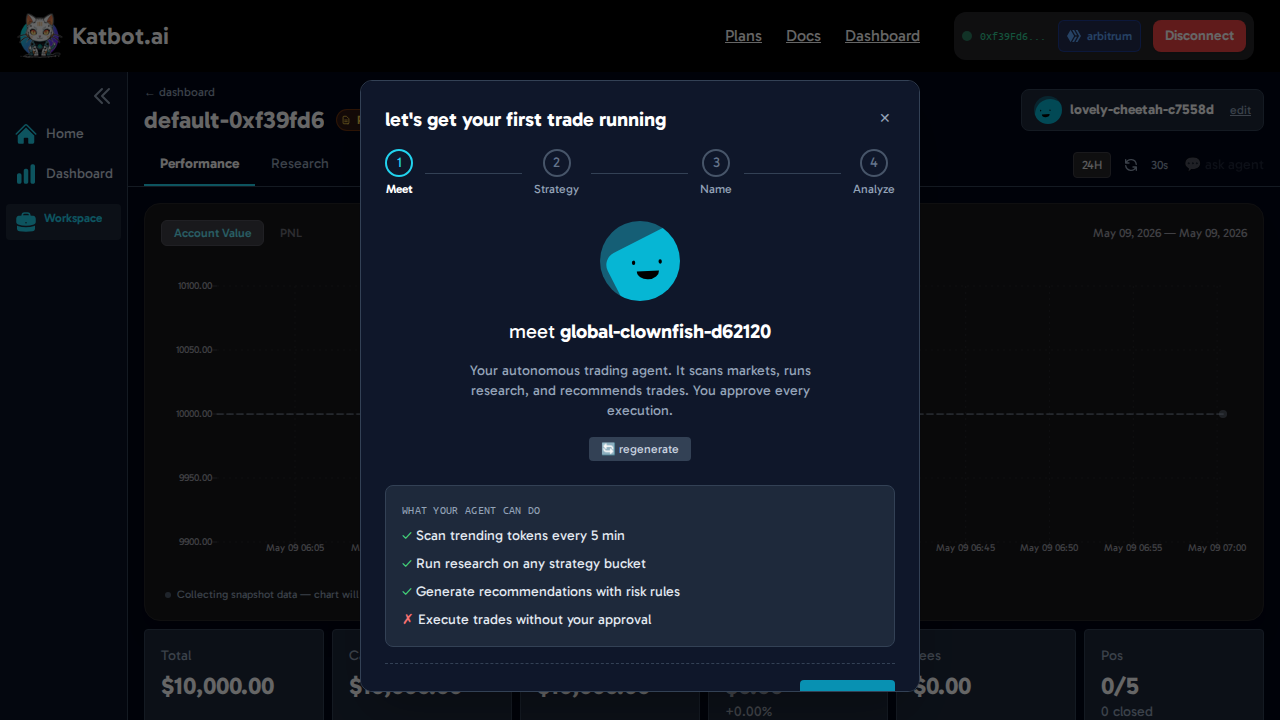
Click "let's go →" to create the agent and move to the next step.
Step 2 of 4 — Pick a Research Strategy
Choose the strategy your agent will use to scan markets. Each bucket focuses on a different signal type:
| Strategy | What it looks for |
|---|---|
| Momentum | Strongest directional price moves across 24h / 7d / 30d |
| Volume Breakout | Volume spikes above 3× rolling average with price confirmation |
| Mean Reversion | Oversold bounces near major support levels |
| News-Driven | Tokens with high-impact headlines (≥ 0.5) in last 24h |
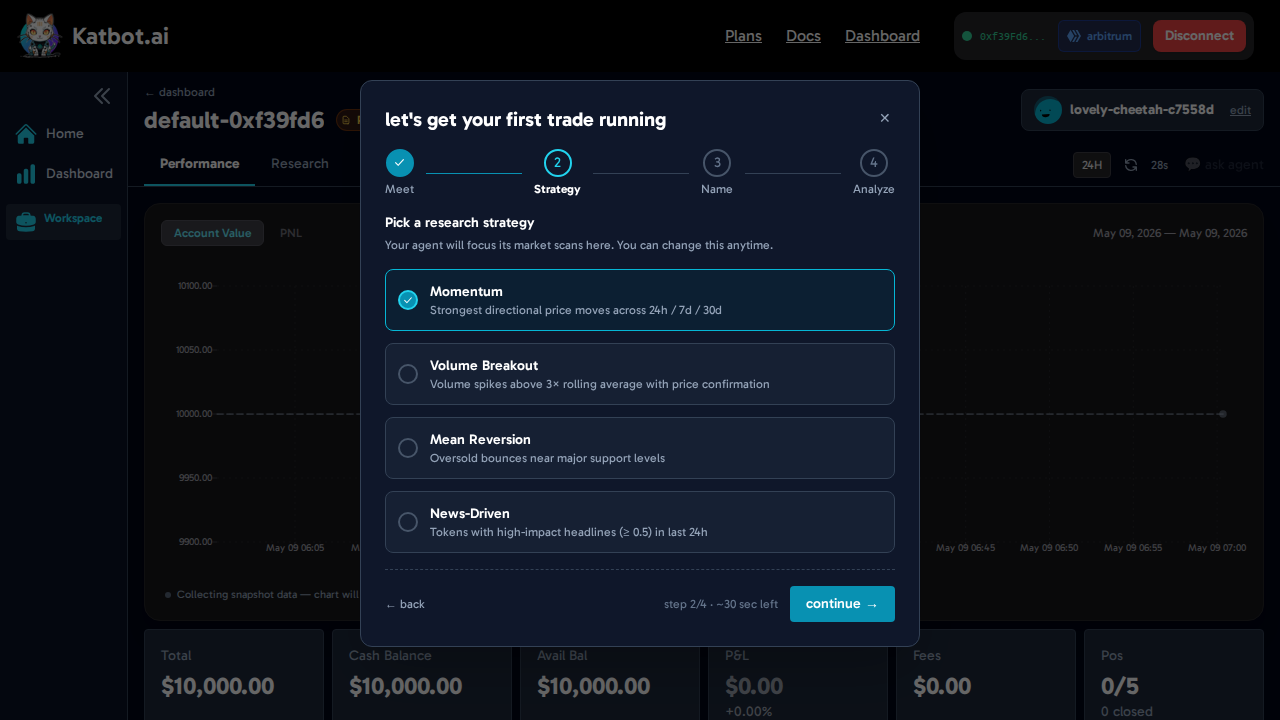
Click "continue →" to save your strategy and move on.
Step 3 of 4 — Name Your Portfolio
Give your paper trading workspace a name you'll recognize. Your portfolio starts with $10,000 in simulated cash on Hyperliquid Paper Trading.
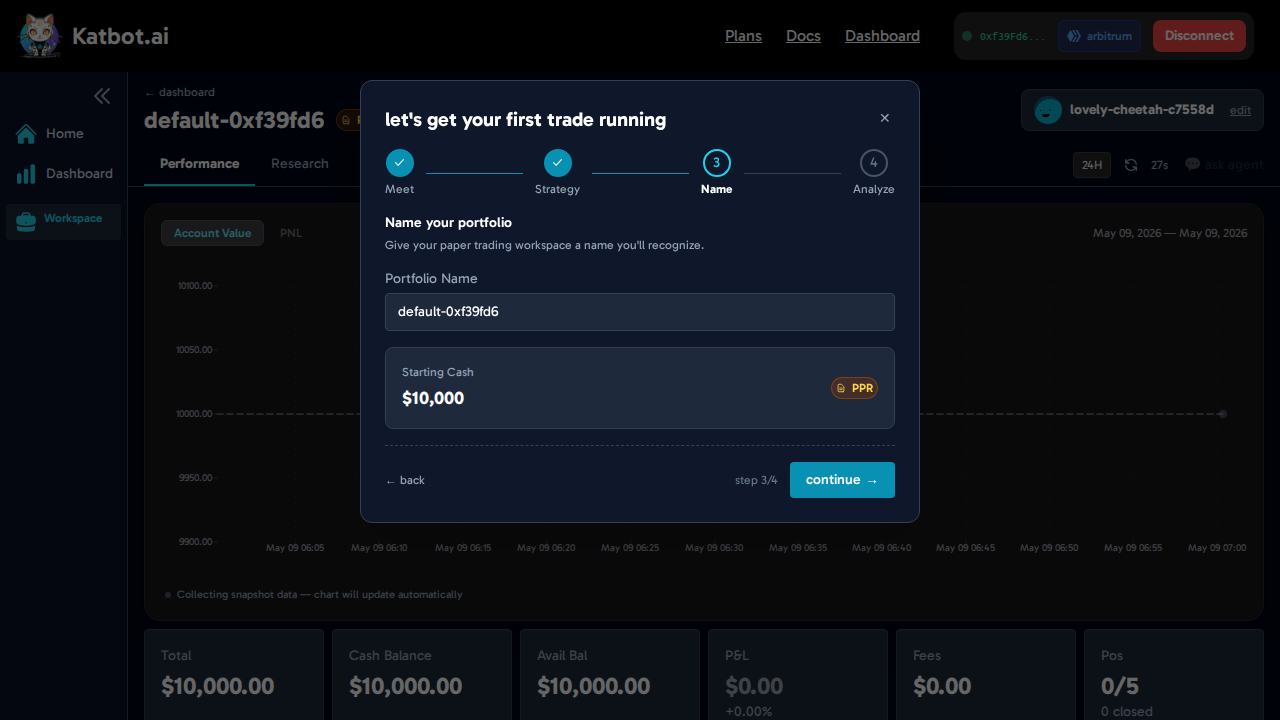
Click "continue →" to kick off your first analysis.
Step 4 of 4 — First Analysis
Katbot immediately runs a research scan using your chosen strategy. You'll see a live log as it scans tokens, applies your strategy's signal rules, and ranks candidates.
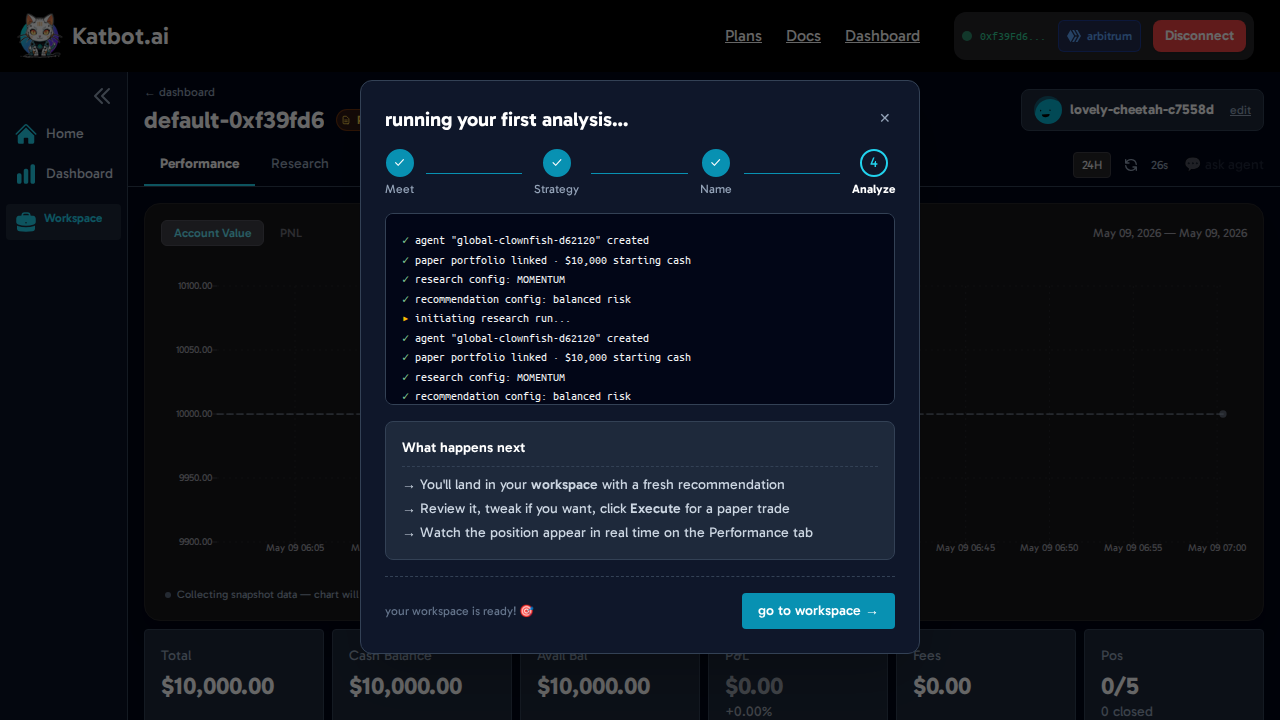
Once the analysis completes, "go to workspace →" becomes active. Click it to land in your workspace with a fresh trade recommendation ready to review.
Step 3: Execute Your First Paper Trade
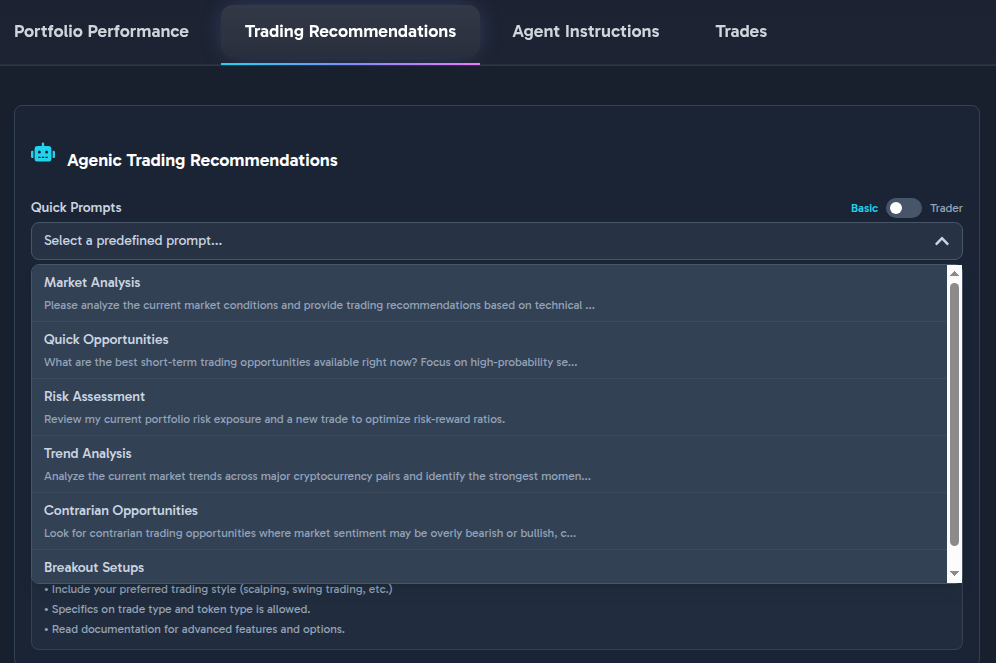
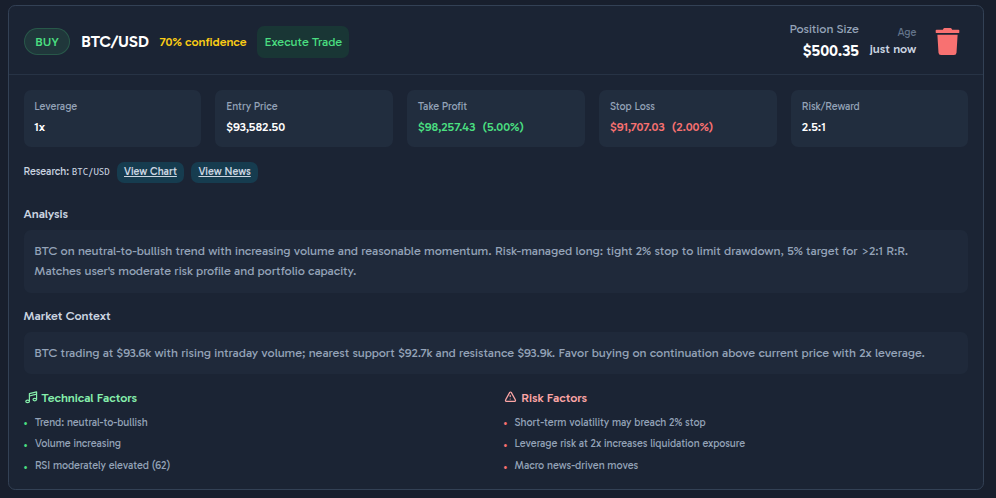
After the wizard finishes, you'll land in your workspace with a fresh trading recommendation ready for review.
- Review the Recommendation: Check the entry price, take-profit, stop-loss, and the AI's reasoning.
- Execute: If you're satisfied, click "Execute Trade".
- Confirm: Confirm the MetaMask signature request to place your trade on Hyperliquid!
Step 4: Monitor Your Portfolio
After executing the trade, monitor your portfolio's performance:
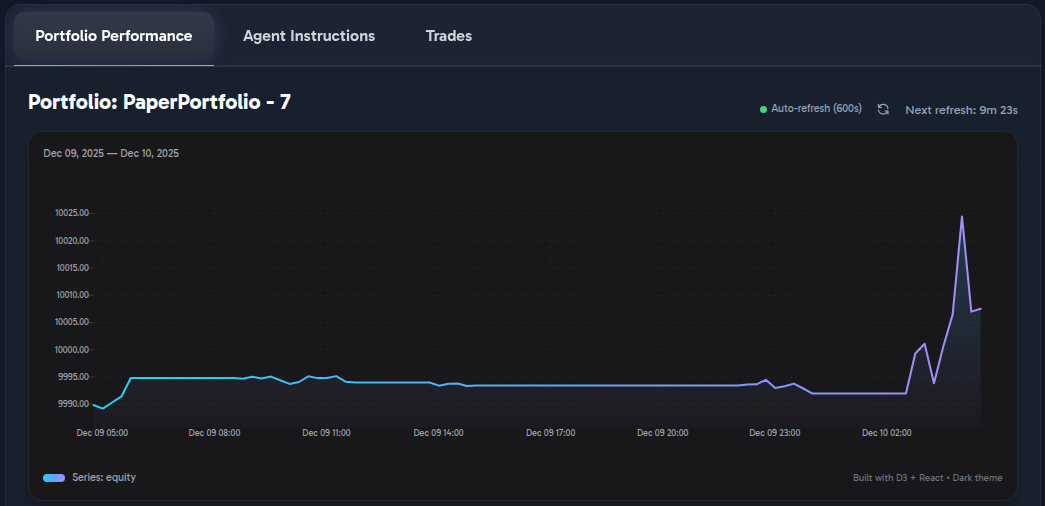
Portfolio Performance Chart
Track cumulative P&L across all closed positions over time.
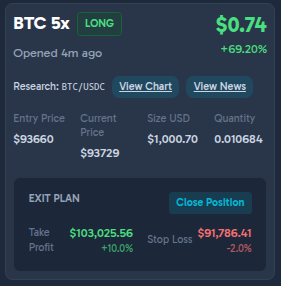
Open Positions
View active trades with real-time P&L, entry price, and current market price.
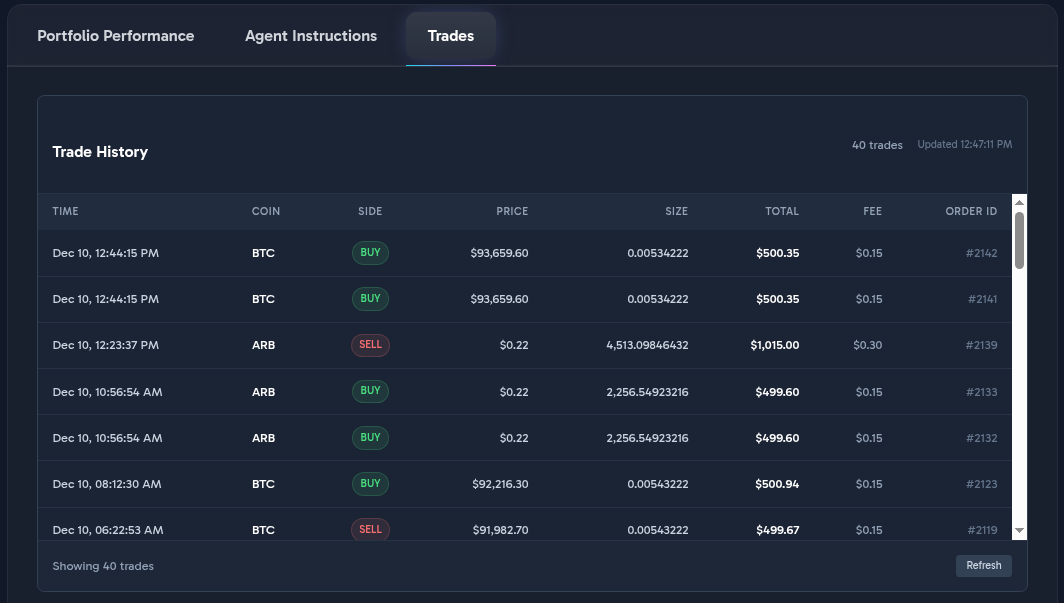
Trades History
Review completed trades to analyze your trading performance.
What's Next?
Congratulations! You've completed the Katbot workflow from login to executing a trade. Here are some next steps:
- Explore Advanced Research Techniques
- Learn about Portfolio Management
- Set up Live Trading on Hyperliquid
- Integrate with OpenClaw for automated trading
For more details, explore the rest of the documentation.