Authentication
This guide will help you understand how to authenticate with the Katbot API using your API key.
Using MetaMask for Authentication
Katbot is a Web3-native service, and we support authentication via MetaMask. This allows you to use your Ethereum address as your username. A web3 wallet is required to interact with Katbot's services which is commonly used in the blockchain ecosystem. At this time, we support MetaMask for authentication. If you haven't already, its easy to sign up for a free account at Katbot. Make sure you have the MetaMask extension installed in your web browser. Once you have MetaMask set up, go to the Katbot website and click on the "Login with MetaMask" button. Sign the message prompt in MetaMask to authenticate. You will need to be connected to the Arbitrum network in MetaMask.
To use MetaMask for authentication, you will need to have the MetaMask extension installed in your web browser. If you don't have it yet, you can download it from here.
Once you have MetaMask installed, you can use it to authenticate with Katbot.
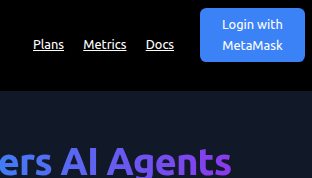
To authenticate using MetaMask, follow these steps:
- Open your MetaMask wallet and ensure you are connected to the correct Arbitrum network.
- Go to the Katbot website and click on the "Login with MetaMask" button.
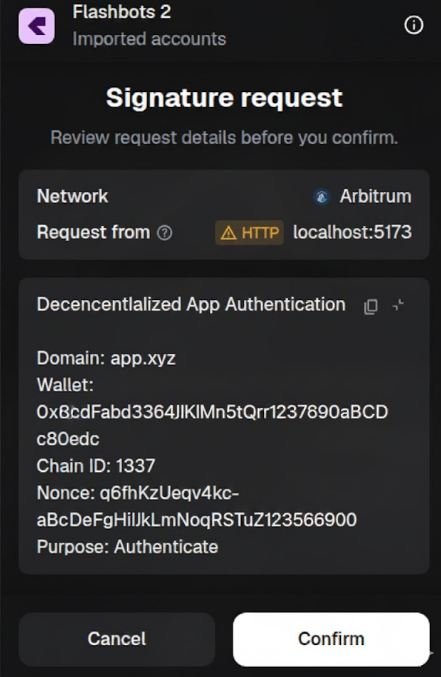
- MetaMask will prompt you to sign a message. This is a security measure to prove ownership of your Ethereum address. Click "Sign" to proceed.
- After signing the message, you will be redirected back to the Katbot website, and you will be logged in.
Press "Confirm" to sign the message and complete the login process.
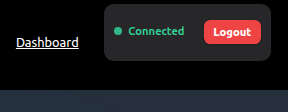
After successfully signing the message, you should see a confirmation that you are authenticated.
How to Request that Your Account Be Whitelisted
Katbot is currently in Early Access. We're inviting traders and developers who are committed to helping shape the future of AI-powered DeFi trading. During this phase, we require users to be whitelisted so we can foster a collaborative community focused on product development. To request access, please follow these steps:
Limited availability to INCITERS Co-heart
The INCITERS co-heart is limited because it includes direct high touch access to trading tools at the highest subscription levels and direct support, access to the developer team as well as direct input to the product road-map. Once full this co-heart will be closed until launch.
- Ensure you are logged in to your Katbot account using MetaMask.
- Join our Discord community and/or contact us via email at kitty@katbot.ai and provide your Ethereum address used for authentication and a brief explanation of why you want to be whitelisted.
- Our team will review your request right away and help you participate in the INCITERS program.